> ## Documentation Index
> Fetch the complete documentation index at: https://help.airbridge.io/llms.txt
> Use this file to discover all available pages before exploring further.
# SearchAds.com
## SearchAds.com
Airbridge supports integration with SearchAds.com. With the integration, you can send install and in-app event data attributed to Apple Ads to SearchAds.com.
## How to Setup
1. Select **\[Attribution]** from the left menu in the [SearchAds.com](https://insights.searchads.com/attributions) dashboard and select **Airbridge**.
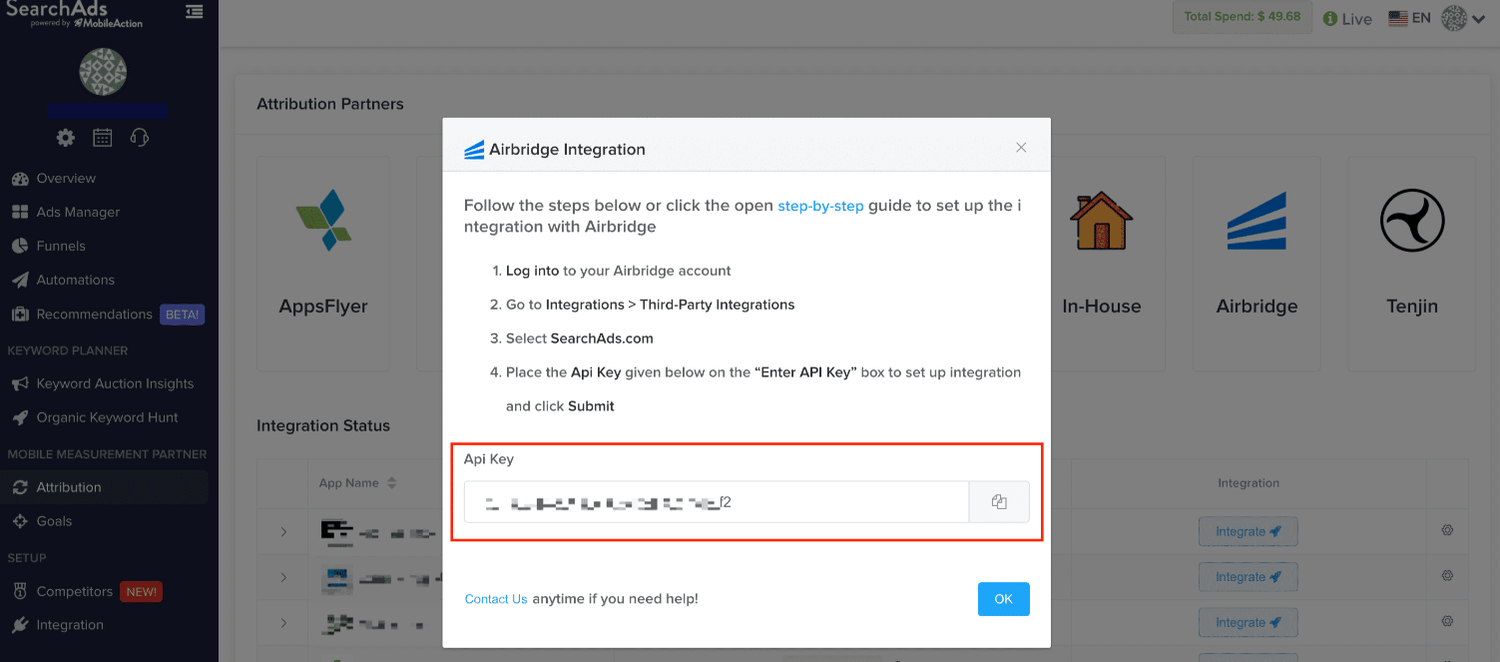
2. When prompted, copy the API Key.
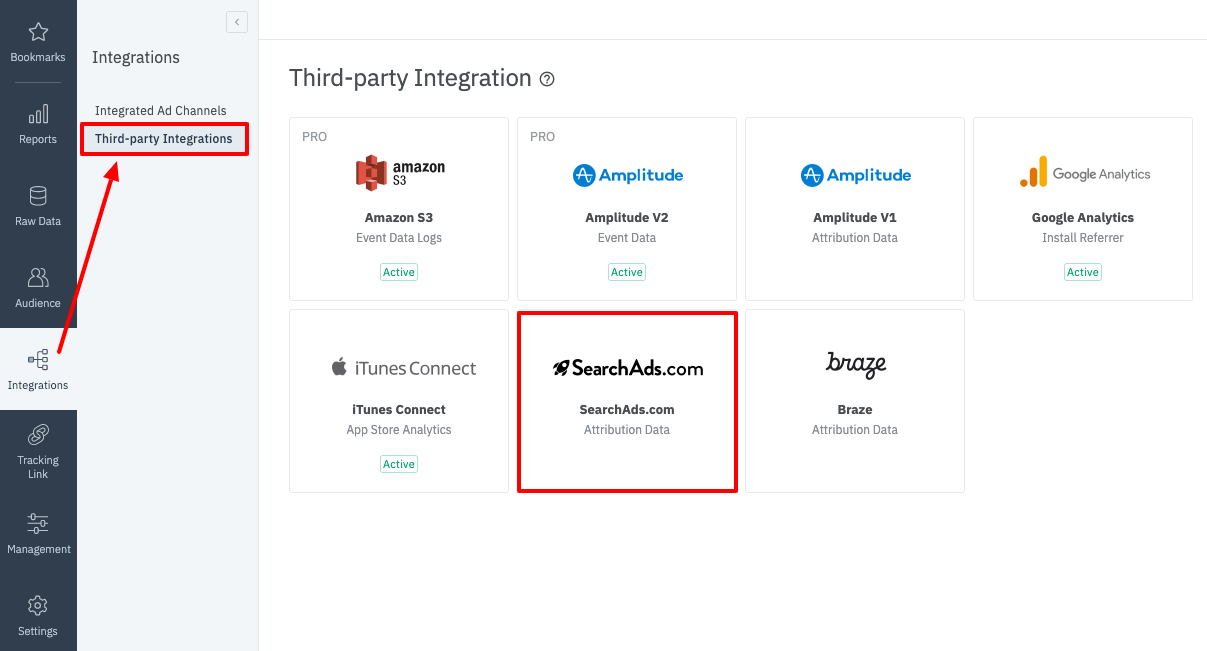
3. Navigate to **\[Integrations]>\[Third-Party Integration]** in the Airbridge dashboard and select **SearchAds.com**.
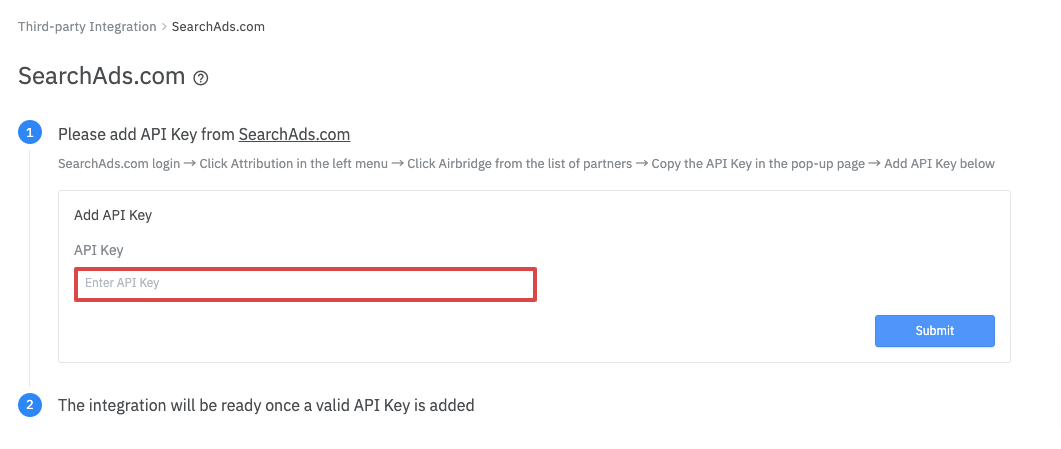
4. Paste the API Key you obtained from SearchAds.com into the Api Key field and click **Submit**.
5. Once the integration is complete, the install and in-app event data collected by Airbridge will be available in the SearchAds.com dashboard.
This documentation is built and hosted on [Mintlify](https://mintlify.com), a developer documentation platform.
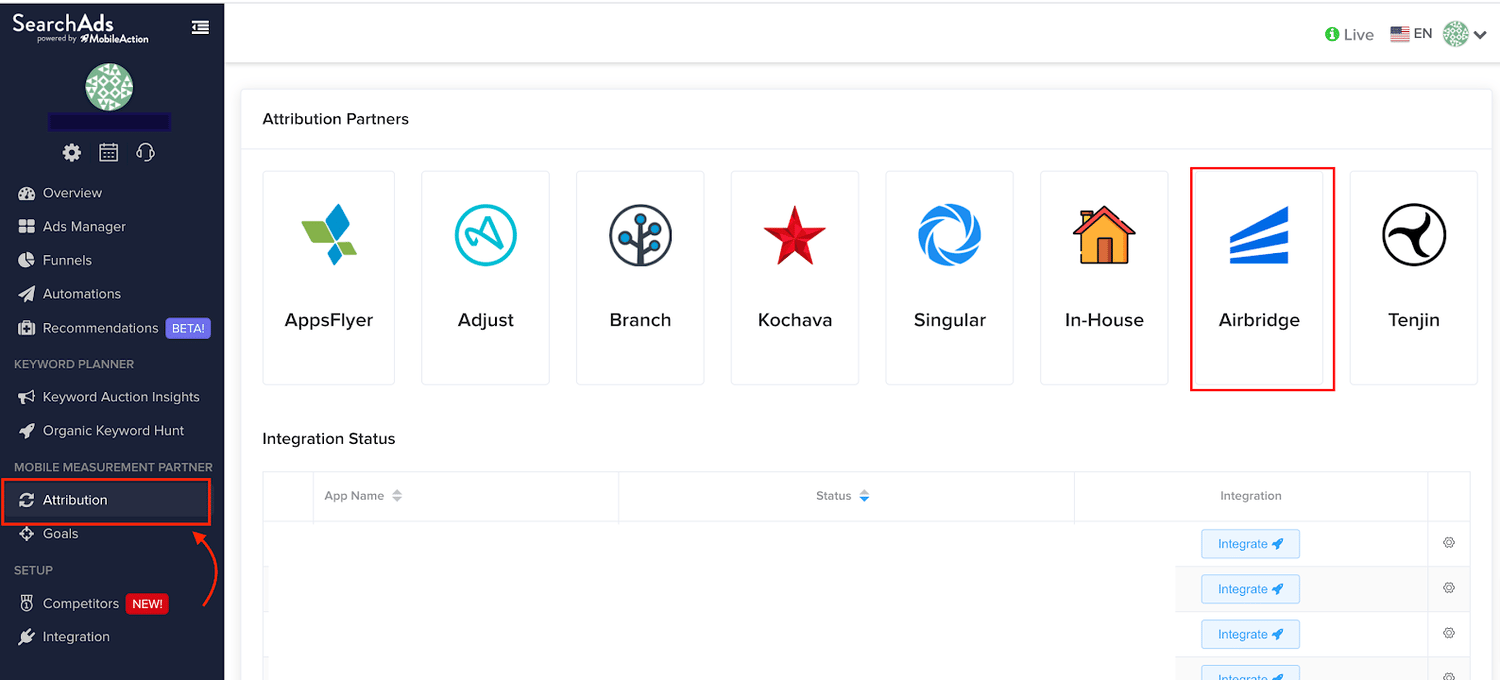 2. When prompted, copy the API Key.
 3. Navigate to **\[Integrations]>\[Third-Party Integration]** in the Airbridge dashboard and select **SearchAds.com**.
 4. Paste the API Key you obtained from SearchAds.com into the Api Key field and click **Submit**.
 5. Once the integration is complete, the install and in-app event data collected by Airbridge will be available in the SearchAds.com dashboard.
This documentation is built and hosted on [Mintlify](https://mintlify.com), a developer documentation platform.
5. Once the integration is complete, the install and in-app event data collected by Airbridge will be available in the SearchAds.com dashboard.
This documentation is built and hosted on [Mintlify](https://mintlify.com), a developer documentation platform.